
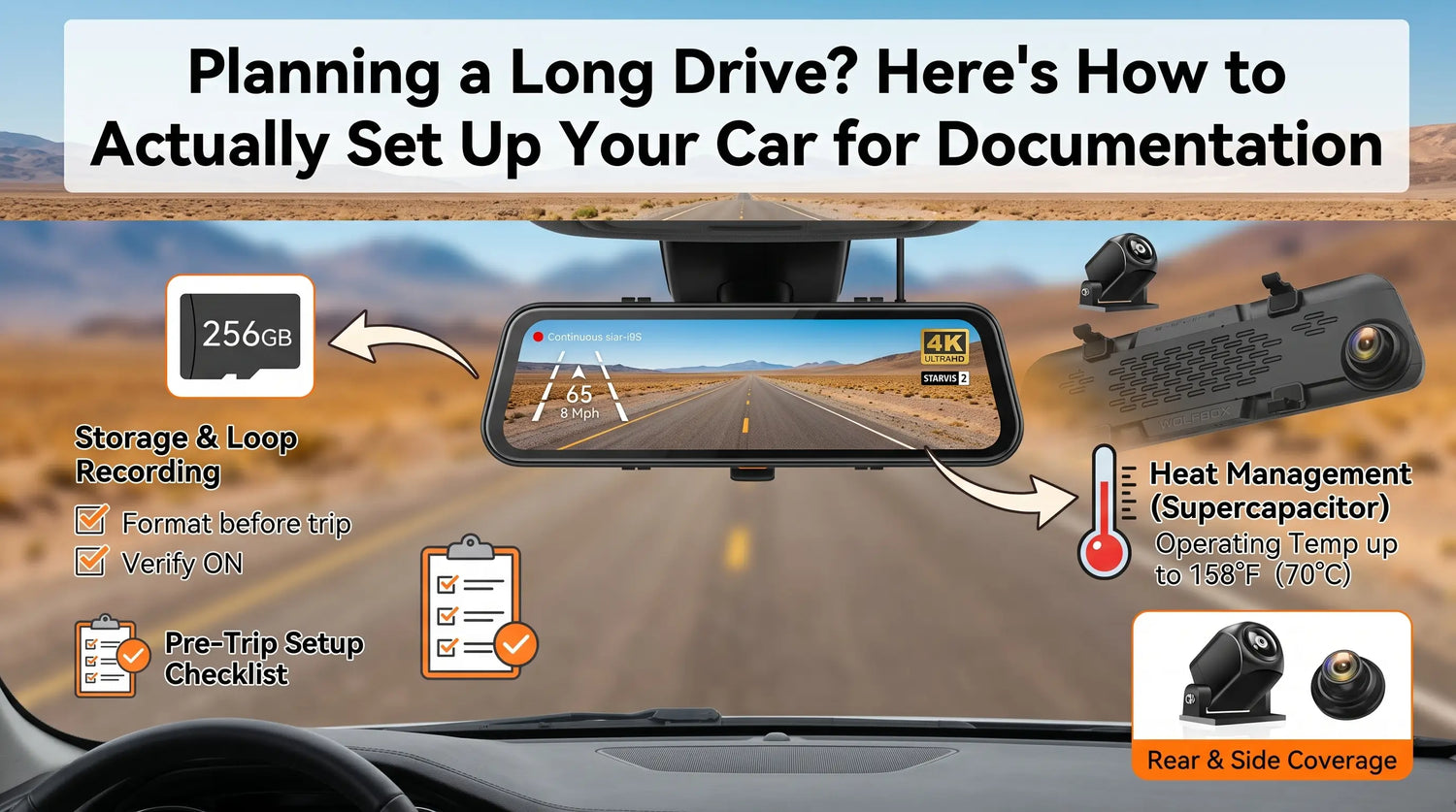
It's mile 340 on I-70 through Kansas. No towns for the next 45 miles. You haven't had cell signal for an hour. Then the car in front of you stops suddenly in the passing lane, you brake hard, and a truck that has been tailgating you for the last twenty miles doesn't stop in time.
In that moment, you have three options: a rear dash cam recording in clean loop, a rear dash cam that overheated and stopped recording two hours ago because it was baked to the windshield in August, or nothing.
What separates those outcomes isn't luck — it's setup.
The Problem Isn't the Camera. It's the Configuration.
Most dash cams work fine out of the box for short urban drives. Road trips expose every gap in a default configuration: heat management, storage capacity, loop recording settings, and whether your camera will still be recording when something happens 400 miles from home. Each of these has a straightforward fix if you address it before you leave.
Heat Management: Supercapacitor vs. Lithium Battery
Interior cabin temperatures in a car parked in direct sun can reach 145–165°F (63–73°C) [1]. For a suction-cup dash cam with a lithium battery, this is potentially damaging — lithium cells begin to degrade in capacity above 140°F (60°C), and prolonged exposure accelerates long-term degradation.
Mirror-form-factor dash cams that use a supercapacitor instead of a lithium battery — including the Wolfbox G840S and G900TriPro — have an operating temperature ceiling of 158°F (70°C) [1][2][5]. Supercapacitors don't store chemical energy the way lithium cells do, so heat stress affects them differently: performance degrades temporarily in extreme heat but recovers when temperatures normalize, rather than causing cumulative capacity loss.
For a summer road trip with long rest stops in direct sun, this is a meaningful practical difference. If you drive a lithium battery-based camera, bring it inside during stops longer than 20 minutes or use a windshield sunshade. Mirror-mount cameras that clip over the rearview mirror can be removed and reinstalled in under two minutes.

Storage and Loop Recording: What You Actually Need for a 12-Hour Drive
A 12-hour drive at 4K front + 1080P rear recording generates approximately 120–180GB of raw footage before loop overwrite. Loop recording handles this automatically — it overwrites the oldest segments as storage fills. A few settings need to be confirmed before you leave:
- Loop recording: confirm it is ON (should be on by default; verify anyway)
- Loop segment length: 3 minutes is standard — this means the largest single clip lost in an overwrite is 3 minutes, preserving the most recent recording
- G-sensor lock sensitivity: set it so that significant impacts lock the current clip to a protected folder that loop recording won't overwrite; too sensitive and every bumpy road fills your protected folder, too low and a real impact might not trigger
For a 12-hour drive on a 256GB card — which comes standard with the G900TriPro [2] — you have continuous front-and-rear coverage for the entire drive, with a much larger loop buffer before the oldest footage cycles out. If your camera uses a 32GB card (standard on the G840S), the loop holds approximately 4–5 hours of dual-channel footage. For drives longer than that, upgrade to a 256GB high-endurance card before you leave [4].
Front and Rear Coverage: Why the Rear Camera Matters on Long Drives
For a solo driver on an unfamiliar highway, the rear camera is the underappreciated protection. The scenarios that happen more frequently on long drives than in urban commuting:
Tailgating: a driver following too closely for an extended distance is documented by rear camera footage with GPS-stamped location data. This matters if a rear-end collision results in a dispute about following distance.
Being pulled over: rear camera footage documents the traffic stop from your perspective, including the officer's approach, lane conditions, and your vehicle's position. GPS data shows your speed at the time of the stop.
Semi truck merge: on multi-lane highways with heavy truck traffic, a truck changing lanes into your space is often captured first on the rear camera before the front camera shows the final vehicle position.
The Wolfbox G840S covers front (4K, 170°) and rear (1080P, 150°) simultaneously from a single unit with a single power cable [2]. For families in SUVs where rear cargo visibility is an issue, or for drivers pulling trailers, rear visibility is more than a convenience issue [7]; the Wolfbox G900TriPro adds a third camera channel, providing coverage a two-camera system does not deliver [2][3].

If You Get Pulled Over
The moment you see lights, press the manual lock button or use a voice command if your camera supports it — the G900TriPro supports voice commands [2]. This prevents the current clip from being overwritten by loop recording. After the stop, don't delete footage — lock the file immediately and transfer it via the WOLFBOX App on Wi-Fi-enabled models, or directly from the SD card.
GPS-stamped footage showing your speed at the time of the stop is factual documentation. Insurance adjusters, attorneys, and traffic court judges treat timestamped, GPS-corroborated video as reliable evidence [5].
Pre-Trip Setup Checklist
Confirm these settings before the first mile [6]:
|
Setting |
Recommended Configuration |
Why |
|
Loop recording |
ON, 3-minute segments |
Continuous coverage, manageable clip size |
|
G-sensor lock sensitivity |
Medium (level 2–3) |
Captures real impacts without vibration false locks |
|
GPS recording |
ON |
Stamps every frame with speed, location, direction |
|
SD card |
Format in-camera before trip |
Clears corruption, resets file index |
|
Power cable connection |
Confirm secure |
Loose USB connection can interrupt recording mid-trip |
|
Parking mode |
Optional, requires hardwire kit |
Covers car during rest stops if hardwired |
Frequently Asked Questions
Q: Will my dash cam work in extreme heat on a summer road trip?
Supercapacitor-based cameras like the Wolfbox G840S and G900TriPro are rated to 158°F (70°C), providing better heat tolerance than lithium battery cameras in parked-car heat scenarios [1][2][5].
Q: How much storage do I need for a 10-hour road trip?
With dual-channel 4K front + 1080P rear recording, a 256GB high-endurance card gives a much larger loop buffer for long drives. A 32GB card holds approximately 4–5 hours.
Q: Does the camera keep recording at highway speed?
Yes. Dash cams record continuously regardless of vehicle speed. GPS speed data is stamped onto every frame.
Q: What kind of SD card should I use for road trip recording?
Use a high-endurance card rated for continuous write cycles — Samsung PRO Endurance, SanDisk High Endurance, or Kingston High Endurance. Standard consumer cards fail faster under continuous recording.
Q: Can I transfer footage without removing the SD card?
Only on Wi-Fi-enabled models. The G900TriPro supports 5.8GHz Wi-Fi for wireless transfer to the WOLFBOX App on iOS or Android [2]. The G840S requires SD card removal for file transfer.
References
[1] Wolfbox G840S Official Product Page — 4K front, 1080P rear, GPS and supercapacitor operating temperature: https://wolfbox.com/products/wolfbox-g840s-12-4k-mirror-dash-cam-2160p-full-hd-smart-rear-view-camera-mirror-dash-cam
[2] Wolfbox G900TriPro Bumper Version Product Page — three-channel mirror dash cam, 256GB card and 5.8GHz Wi-Fi details: https://wolfbox.com/products/wolfbox-g900-tripro-bumper-version-3-channel-rearview-mirror-camera
[3] Wolfbox G840S vs G900 Pro vs G900TriPro Comparison Guide: https://wolfbox.com/blogs/dash-cams/wolfbox-g840s-vs-g900-pro-vs-g900-tripro-which-mirror-dash-cam-is-right-for-you
[4] SanDisk High Endurance microSD Card Product Page — continuous dash cam recording use case: https://www.sandisk.com/products/memory-cards/microsd-cards/sandisk-high-endurance-uhs-i-microsd
[5] Battery University — Discharging Batteries at High and Low Temperatures: https://www.batteryuniversity.com/article/bu-502-discharging-at-high-and-low-temperatures
[6] Wolfbox User Manual Help Center: user-manual
[7] Federal Register — FMVSS No. 111 Rear Visibility Rule: https://www.federalregister.gov/documents/2014/04/07/2014-07469/federal-motor-vehicle-safety-standards-rear-visibility

Leave a comment
All comments are moderated before being published.
This site is protected by hCaptcha and the hCaptcha Privacy Policy and Terms of Service apply.