
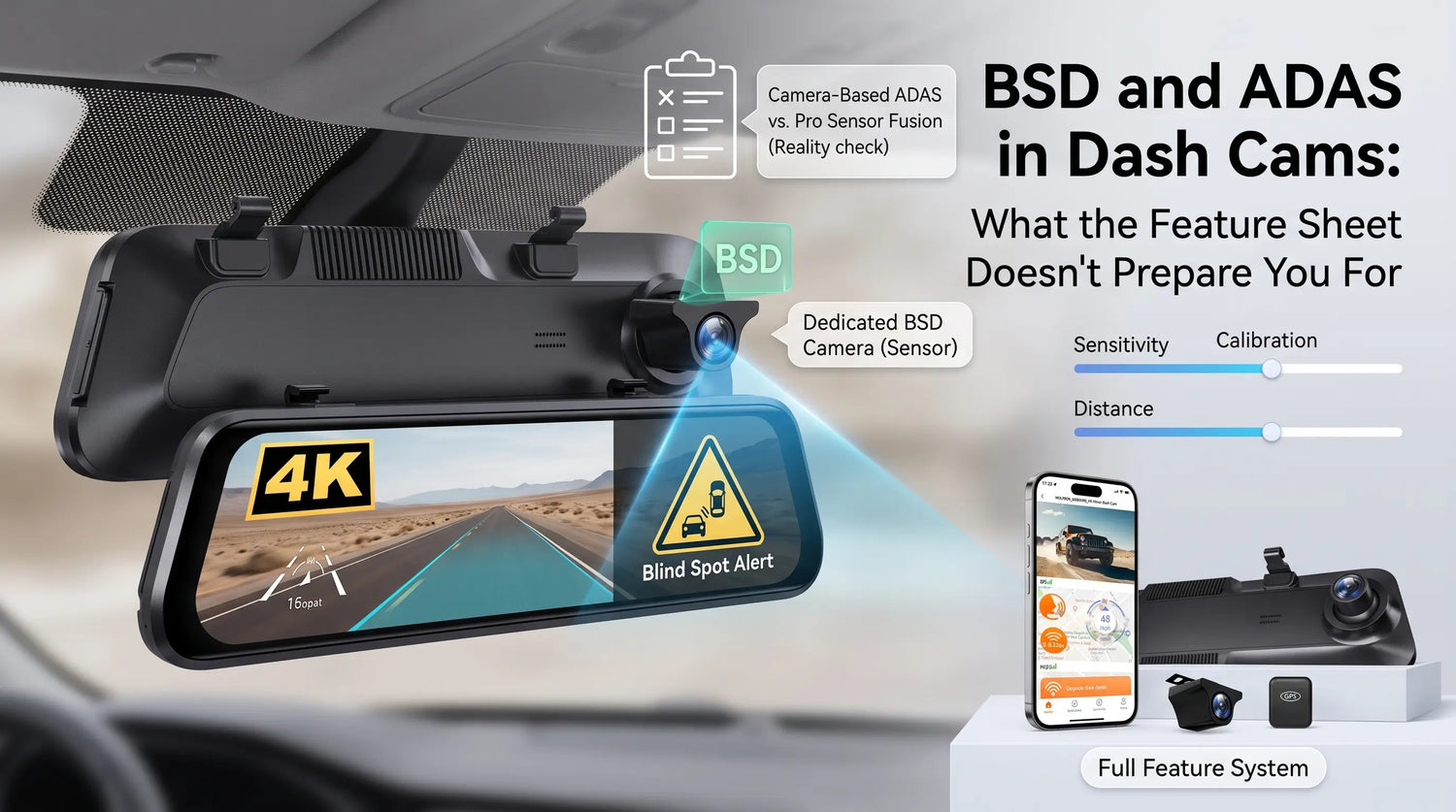
The acronym appears in the product listing and sounds reassuring: ADAS. Advanced Driver Assistance System. In the automotive industry, that phrase describes radar arrays, lidar sensors, and camera fusion systems engineered into a vehicle [2][4][5]. In a dash cam, the same acronym describes a camera-mounted computer vision algorithm.
That's not a dismissal — it's a clarification. Camera-based ADAS in dash cams genuinely works and provides real-world value. But what it does and doesn't do differs from what most buyers imagine, and the gap between expectation and experience is why some owners disable these features within a week.
What These Features Actually Are
ADAS in a dash cam context refers to computer vision alerts triggered by analyzing the front camera feed in real time. Standard functions include:
- FCWS (Forward Collision Warning System): alerts when the following distance to the vehicle ahead drops below a calculated threshold, based on relative speed and distance estimated from the camera feed
- LDWS (Lane Departure Warning System): detects lane markings in the feed and alerts when the vehicle crosses without signaling
- PDWS (Pedestrian Detection Warning System): flags when a pedestrian enters the detected path ahead
BSD (Blind Spot Detection) uses a rear or side-facing camera input to detect vehicles in the rear lateral zones — typically triggered during lane changes or when traffic is detected alongside the vehicle.
The Wolfbox G850 Pro implements both ADAS and BSD in a 12-inch mirror form factor, using the front camera feed for ADAS functions and a dedicated BSD camera system for rear lateral monitoring [1][6].

What Actually Triggers BSD Alerts in Practice
Buyers who expect BSD to work exactly like factory blind spot monitoring are often confused by initial alert frequency. Camera-based BSD has a different trigger profile than ultrasonic or radar-based factory systems.
Scenario |
Alert Frequency |
Notes |
Highway lane change with vehicle present |
Reliable |
Core use case — performs well |
Parking lot lateral movement |
Frequent |
Adjacent moving cars may trigger; generally useful |
Cyclists approaching from behind |
Occasional |
Depends on camera angle and detection distance |
Large stationary objects at rest stops |
Rare false positives |
Only when very close |
Wet or low-light rear camera conditions |
Reduced detection |
Camera-based limitation across the category |
The key variable in BSD accuracy is rear camera positioning and angle. Unlike factory systems where sensor placement is engineered to the vehicle's geometry, aftermarket BSD relies on a camera angle you set during installation. Calibration during setup matters significantly for reducing false positives.

What ADAS Can Realistically Detect from a Fixed Windshield Mount
A dash cam ADAS system operates from a single fixed point on the windshield — approximately 4–5 feet off the ground, looking forward. Factory ADAS systems may use stereo cameras, radar modules, lidar, or calibrated sensor fusion depending on the vehicle [2][4][5].
Camera-based ADAS from a windshield mount is reliable for highway following distance warnings at consistent speeds, and for detecting clear lane markings in daylight. It is less reliable on curved roads where the detection algorithm loses confidence, at complex intersections where multiple lane markings overlap, and on low-contrast markings in construction zones or faded paint. It is not designed for emergency braking — dash cam ADAS only warns, it never actuates braking or steering, so it should be treated as a warning layer rather than automated driving support [4].
This is the honest operating envelope. A dash cam with ADAS is a camera-based alert system, not a sensor fusion safety system. The value is in the warning layer it adds for highway driving, where following distance and lane departure are the statistically relevant risks.
Where BSD and ADAS Add Genuine Value
The buyers who get the most from these features share a common profile: they drive primarily on highways, often in unfamiliar vehicles, or they haul loads that reduce their standard spatial awareness.
In a rental car or company vehicle where your spatial intuition isn't calibrated, BSD alerts for lane changes are consistently useful — you're already alert to the unfamiliar dimensions, and an electronic flag during a lane check is supplementary confirmation. Fleet van operators with large blind zones benefit most because the driver's natural rear lateral awareness is already compromised by the vehicle's form factor. And on long solo highway drives, LDWS is most useful in the third hour, when fatigue begins to affect attention. The alert does not prevent lane drift by itself, but it provides the wake-up cue that catches occasional brief lapses [3].
The Wolfbox G850 Pro delivers both ADAS and BSD in the mirror form factor — meaning drivers get the large display advantage and the alert layer of ADAS/BSD without adding a separate device to the dash [1][2]. This makes it particularly well-suited to commercial and fleet operators who need a comprehensive windshield-mounted solution.
The Calibration Step Most Buyers Skip
Both ADAS and BSD require calibration in the device settings — typically a sensitivity level, and in some models a distance threshold adjustment. The default settings are calibrated for a broad driving scenario, so they should be adjusted after installation rather than treated as final [7].
If you drive an SUV or pickup truck, the default sensitivity may produce more frequent false positive alerts than a sedan driver would experience. The correct response is to spend 10–15 minutes on the first day adjusting sensitivity to your vehicle type — not disabling the feature entirely. LDWS is more useful on open highways with clear lane markings; in urban driving with frequent intersections and lane merges, lower sensitivity prevents alert fatigue. This applies across camera-based ADAS broadly, not only to Wolfbox.
Frequently Asked Questions
Q: Will dash cam ADAS work at night?
LDWS lane detection is limited at night when lane markings aren't clearly visible. FCWS forward detection may still function depending on headlight illumination and road conditions.
Q: How does BSD on a dash cam differ from factory blind spot monitoring?
Factory BSD uses radar, ultrasonic sensors, or integrated camera/radar systems calibrated to the vehicle's geometry [3][5]. Dash cam BSD uses camera-based computer vision from a fixed mounting position — it is sensitive to mounting angle and performs variably in low light or rain.
Q: Can a dash cam ADAS system replace my factory safety features?
No. Dash cam ADAS supplements but does not replace factory systems. It operates independently from a fixed windshield position and does not connect to the vehicle's braking or steering.
Q: What should I do if I get too many false alerts?
Reduce sensitivity in the ADAS settings menu. The default sensitivity is calibrated for a median scenario — adjust for your vehicle size, typical road type, and speed range.
Q: Does the G850 Pro's ADAS work well in city traffic?
LDWS and FCWS are most useful on roads with clear lane markings and consistent traffic flow. In slow urban traffic with frequent intersections, most drivers prefer lower sensitivity settings or switch LDWS to highway-only use.
References
[1] Wolfbox G850 Pro Official Product Page — ADAS, BSD, 4K front and 12-inch mirror form factor: https://wolfbox.com/products/wolfbox-g850pro-dash-cam-4k-wifi-car-dash-camera-front-and-rear-mirror-dashcam
[2] IIHS — Advanced Driver Assistance Research Area: https://www.iihs.org/research-areas/advanced-driver-assistance
[3] IIHS — Lane Departure Warning and Blind Spot Detection Research: https://www.iihs.org/news/detail/stay-within-the-lines-lane-departure-warning-blind-spot-detection-help-drivers-avoid-trouble
[4] SAE — J3016 Driving Automation Levels Update: https://www.sae.org/blog/sae-j3016-update
[5] Continental — Advanced Safety Technologies and Camera/Radar Assistance Systems: https://www.continental.com/en-us/products-innovation/safely-there/advanced-safety-technologies/
[6] Wolfbox G840S vs G900 Pro vs G900TriPro Comparison Guide: https://wolfbox.com/blogs/dash-cams/wolfbox-g840s-vs-g900-pro-vs-g900-tripro-which-mirror-dash-cam-is-right-for-you
[7] Wolfbox User Manual Help Center: Products User Manual

Leave a comment
All comments are moderated before being published.
This site is protected by hCaptcha and the hCaptcha Privacy Policy and Terms of Service apply.