
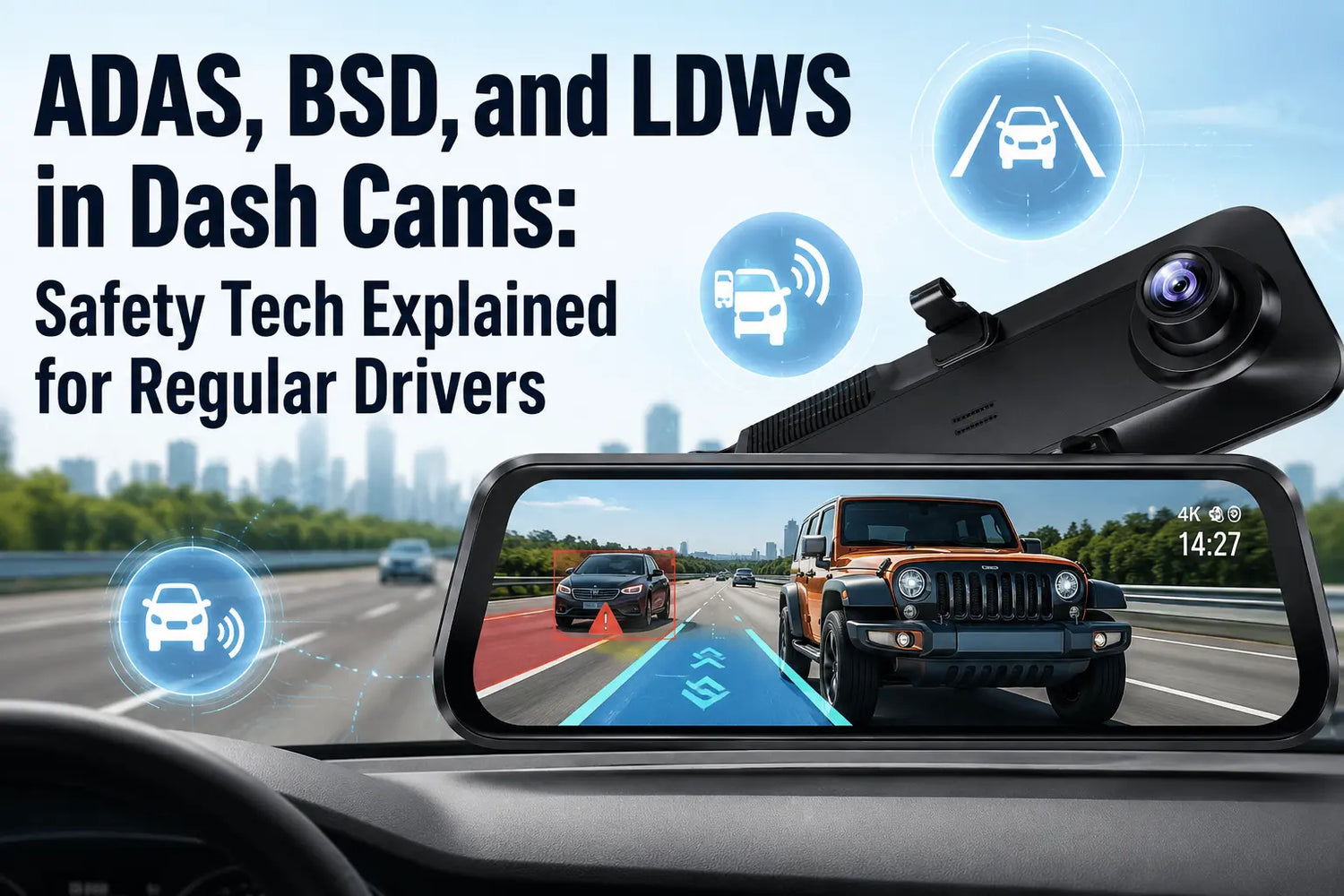
Seeing the acronyms ADAS, BSD, and LDWS in a dash cam listing without any context makes them feel like checkbox marketing. They're not. Each refers to a specific alert function with defined conditions where it works and defined conditions where it doesn't. Understanding both sides is what actually helps you use them.
What ADAS Means Here—and What It Doesn't
In a factory-installed system on a Volvo or Honda, ADAS can physically brake or steer the vehicle. In a dash cam, ADAS is strictly an alert layer. The camera analyzes the front video feed and triggers audio and on-screen warnings when it detects a risk. The driver always does the steering and braking—the camera only watches and warns.
This is not a limitation peculiar to Wolfbox. SAE's driving automation taxonomy classifies camera-only alert systems as Level 0 driver support because the system only warns and does not continuously control steering or speed. [1] No portable dash cam currently sold can reach higher levels. Knowing this prevents the most dangerous misuse: assuming the camera will respond if you don't.
The G850Pro is the Wolfbox mirror dash cam model in this batch that includes ADAS/BSD support. Its ADAS layer runs as a software warning system on the camera feed. [2] Three distinct alerts are available: LDWS (lane departure), FCWS (forward collision), and BSD (blind spot detection). Each can be enabled, disabled, or adjusted independently via the touchscreen menu.

LDWS: What Triggers It and When It Fails
LDWS monitors painted lane markings in the forward image. When the vehicle drifts across a line without a corresponding turn signal, the system triggers a tone and an icon on screen. It activates once the vehicle reaches approximately 45 mph (72 km/h)—below that speed, lane changes are too frequent and deliberate for the algorithm to reliably distinguish drift from intent.
The failure conditions matter just as much. LDWS stops working accurately in heavy rain that washes out lane markings, in road construction zones where old paint runs under new asphalt, and on unmarked rural roads where no reference lines exist. Snow-covered roads disable it entirely. These aren't edge cases—any winter driver or frequent interstate traveler will encounter at least one of them regularly.
On a dry, clearly marked highway, LDWS is a practical fatigue alert. If you've been driving for three hours and start drifting without realizing it, it catches that. Setting sensitivity to Medium on initial setup avoids the false alerts that come with the highest setting in construction zones.
FCWS: Forward Collision and the Lead Vehicle Start Alert
FCWS calculates the time gap between your vehicle and the car ahead using frame-by-frame distance estimation from the front camera. When that gap shrinks below the alert threshold, a warning fires. [2] The estimate depends on the camera's field of view and its understanding of the scene—it works most reliably on a highway where the detected vehicle fills the frame predictably.
The G850Pro also supports forward-collision-style alerts as part of its ADAS warning set: if the car ahead moves at a traffic light and you haven't moved within a set interval, the camera prompts you. This particular sub-feature is more consistently useful in daily driving than full FCWS, which can struggle at very close urban following distances where the detected vehicle occupies most of the frame.
Camera angle affects FCWS accuracy directly. If the mirror unit is angled too far downward toward the dashboard, the horizon sits low in the frame and distance estimates skew. The correct installation position is the camera level with the horizon in the upper third of the screen. Check this after every mirror adjustment.
BSD: What Camera-Based Blind Spot Detection Actually Detects
In most new cars, blind spot detection uses short-range radar emitters in the bumpers. The G850Pro uses the rear camera image instead—the algorithm watches for vehicles entering the side zones and issues a warning when the system detects a risk.
Camera-based BSD works on contrast: it needs to see a vehicle shape against a background. In direct sunlight, when a white car moves against a light road surface, or in heavy rain, contrast drops and detection becomes less reliable. Because camera-based BSD depends on image contrast, treat it as a helpful warning layer rather than a radar-equivalent system. [2]
Camera BSD also has a natural field-of-view limitation: the rear camera sees behind the vehicle, not directly alongside it. Objects at roughly the same lateral position as your door mirrors are less reliably detected than objects approaching from behind. Use it as a secondary check, not a replacement for a shoulder mirror check before lane changes.
Feature |
G850Pro |
What It Means in Daily Driving |
LDWS (Lane Departure Warning) |
Yes |
Warns when the car drifts across visible lane markings |
FCWS (Forward Collision Warning) |
Yes |
Warns when the forward scene suggests closing risk |
BSD (Blind Spot Detection) |
Yes |
Uses the rear camera view to support blind-zone awareness |
Pedestrian Collision Warning |
Yes |
Adds a pedestrian-risk alert layer when conditions allow detection |
Driver control |
Always required |
The dash cam warns only; it does not steer, brake, or accelerate |
G850Pro ADAS Features at a Glance
The important point is scope: the G850Pro can warn, but it cannot intervene. Treat its ADAS/BSD layer as a reminder system, not as a substitute for mirror checks, safe following distance, or built-in vehicle safety hardware. [2]
Treat its ADAS/BSD layer as a reminder system, not as a substitute for mirror checks, safe following distance, or built-in vehicle safety hardware. [2]

Calibration: The Step Most Buyers Skip
ADAS alerts are only as accurate as the camera's understanding of its position in the vehicle. On first setup, take five minutes to verify three things: the mirror is level, the horizon line sits in the upper portion of the front image, and ADAS sensitivity is set to Medium rather than High. High sensitivity triggers earlier—useful in wide lanes with sparse traffic, but noisy in congested commute driving.
If you reposition the mirror (say, after a passenger uses the rearview), re-check the angle. A drift of 10–15 degrees from horizontal is enough to skew FCWS distance estimates. The G850Pro does not self-calibrate; that check is manual and worth making a habit.
Frequently Asked Questions
Q: What does ADAS mean in a dash cam?
A: In a dash cam, ADAS refers to software that analyzes the camera feed and issues audio/visual alerts for lane departure, forward collision risk, and blind spots. It cannot steer or brake your vehicle.
Q: Does the Wolfbox G850Pro have ADAS?
A: Yes. The G850Pro includes ADAS/BSD warning support, including LDWS, FCWS, blind spot detection, and pedestrian collision warning. These are alert features, not automatic steering or braking.
Q: What is BSD in a dash cam and how does it differ from radar BSD?
A: Dash cam BSD uses the rear camera image to detect approaching vehicles in your blind zone. Radar-based BSD (found in newer factory systems) uses bumper emitters and works independently of lighting or contrast conditions.
Q: Will LDWS work on a road without painted lane markings?
A: No. LDWS requires visible painted lane markings. It does not function on unmarked rural roads, snow-covered surfaces, or in rain heavy enough to obscure lane paint.
Q: What ADAS functions does the G850Pro support?
A: The G850Pro supports warning functions such as LDWS, FCWS, BSD, and pedestrian collision alerts. The driver still remains fully responsible for steering, braking, and lane changes.
Q: Do I need to calibrate ADAS after installing the G850Pro?
A: Yes. Mount the mirror so the horizon sits in the upper third of the front image. Set ADAS sensitivity to Medium for typical driving. Recheck the camera angle if the mirror is ever repositioned.
Q: Can ADAS on a dash cam replace my car's built-in safety systems?
A: No. Dash cam ADAS issues alerts only; the driver responds. Warning-only systems are Level 0 support under SAE's automation taxonomy because they do not continuously control steering or speed.
References
[1] SAE International – Taxonomy and Definitions for Driving Automation Systems (J3016): https://www.sae.org/standards/content/j3016_202104/
[2] Wolfbox G850Pro Product Page – ADAS and BSD Features: https://wolfbox.com/products/wolfbox-g850pro-dash-cam-4k-wifi-car-dash-camera-front-and-rear-mirror-dashcam
[3] Wolfbox ADAS Dash Cam Guide: https://wolfbox.com/blogs/dash-cams/adas-dash-cam
[5] Wolfbox G-Sensor Dash Cam Guide: https://wolfbox.com/blogs/dash-cams/g-sensor
[4] NHTSA – Driver Assistance Technologies: https://www.nhtsa.gov/vehicle-safety/driver-assistance-technologies
[6] Wolfbox Mirror Dash Cam Buying Guide: https://wolfbox.com/blogs/dash-cams/best-mirror-dash-cam-in-2026-top-picks-full-buying-guide
[7] NHTSA – Driver Assistance Technologies Glossary: https://www.nhtsa.gov/vehicle-safety/driver-assistance-technologies
[8] Wolfbox Off-Road Driving Safety Guide: https://wolfbox.com/blogs/dash-cams/off-road-driving-safety-guide-how-a-dash-cam-can-save-you


Leave a comment
All comments are moderated before being published.
This site is protected by hCaptcha and the hCaptcha Privacy Policy and Terms of Service apply.