






Trucks/SUVs have different visibility issues than sedans, which changes how you use a dash cam. A tall cargo bed, a camper shell, or a trailer hitched to the back can turn a factory rearview mirror into a decoration rather than a tool. You need a camera that remains functional all the time.
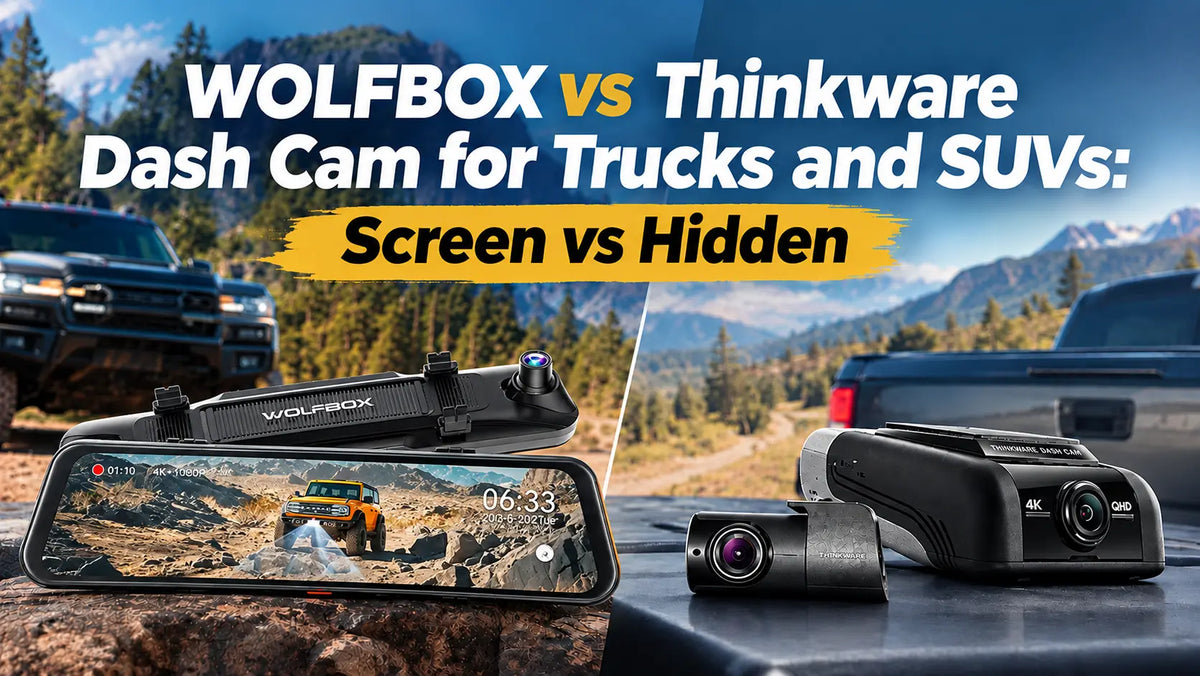
That's where the WOLFBOX vs Thinkware dash cam question comes up so often among truck and SUV owners. Thinkware builds small, hidden cameras that disappear behind your mirror. Meanwhile, WOLFBOX builds big-screen mirror replacements that turn the entire mirror into a live display.
This guide breaks down both, what trucks and SUVs need, and which setup fits your needs. It focuses on how much dash space a screen takes, helping you understand each approach. We'll also compare the WOLFBOX G900 Pro and G900TriPro Bumper Version with the Thinkware U1000.
WOLFBOX vs Thinkware U1000: The Quick Answer
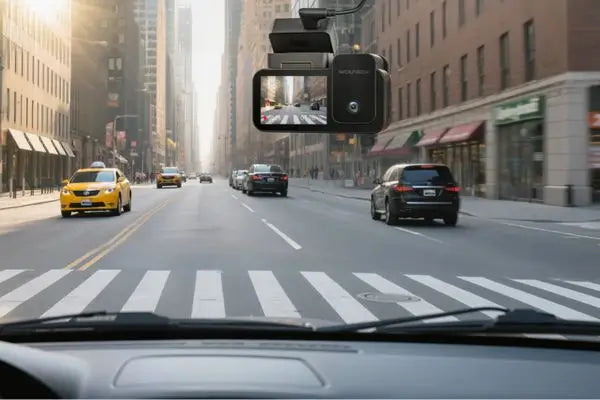
The Thinkware U1000 delivers native 4K front and 2K rear recording from a small, hidden unit with no built-in screen. It relies on the Thinkware Dash Cam Link app for live view and setup.
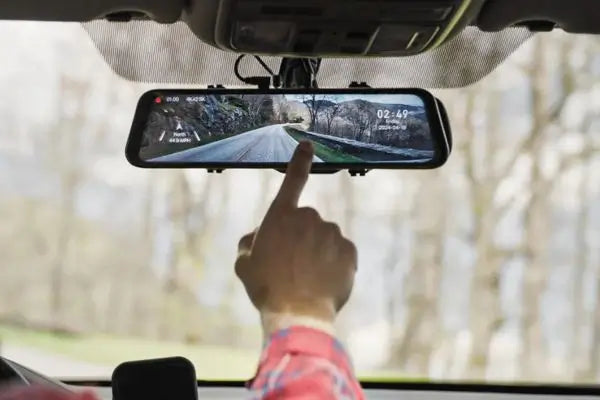
The WOLFBOX G900Pro and G900TriPro Bumper Version replace your mirror with a 12-inch display. The Bumper Version also adds a third camera for trucks and SUVs that see trail duty. [1] [2]
Where the Two Approaches Overlap
Although they look nothing alike, these systems solve many of the same problems. Know what they share before you look at what sets them apart.
- Both record in native 4K up front using a Sony sensor.
- Both include GPS to log speed, route, and location alongside your footage.
- Both offer parking surveillance features designed to watch your vehicle while it's off.
Where WOLFBOX and Thinkware Diverge
The differences come down to design philosophy more than raw capability. Neither one is objectively correct; they're built around different assumptions about how you want to interact with your footage.
- The Thinkware U1000 has no built-in screen; everything routes through a smartphone app.
- The WOLFBOX G900Pro and G900TriPro Bumper Version replace the mirror with a touchscreen display. They give you a live view without opening anything. [1] [2]
- Only the G900TriPro Bumper Version includes a low-angle bumper camera to spot off-road obstacles.
Do You Want to Check a Screen or a Phone?
A dash cam that requires you to unlock a phone to see is a different daily experience. It's nothing like the live feed already there where your mirror should be.
It sounds like a small detail until you're backing up with a trailer attached and reaching for your phone instead of looking up. Neither approach is wrong.
The Case for a Screen You're Already Looking At
- You're already glancing at the rearview mirror constantly while driving. So, putting the camera feed there adds zero extra steps.
- Reverse-assist guidelines appear directly on the WOLFBOX screen the moment you shift into reverse. It doesn't need to open an app first.
- Consumer Reports consistently picks dash cams with a built-in display for reviewing footage. It means a meaningful convenience. [3]
The Case for Keeping It Out of Sight
- A hidden camera doesn't change how the cabin looks. It matters if you don't want visible tech on your dash and/or mirror.
- Smaller, hidden units are less noticeable to anyone breaking into the vehicle, a minor but real theft-deterrence factor.
- Checking footage through an app can still be quick once you're used to it, even if it's not as instant as glancing at the screen.
WOLFBOX's Lineup: G900Pro and G900TriPro Bumper Version
The G900Pro covers front-and-rear recording through a 12-inch mirror display. Meanwhile, the G900TriPro Bumper Version, built on the same foundation, adds a third camera mounted at the front bumper. The camera specifically spots obstacles on rough terrain.
G900Pro: The Straightforward Big-Screen Option
The G900Pro covers the essentials well for a truck or SUV that mostly stays on pavement. It's the simpler of the two, and that simplicity is exactly the point for many daily drivers. [1] [4]
- A solid 8MP Sony STARVIS 2 IMX678 sensor delivers true native 4K front recording.
- A 2.5K rear camera and 12-inch touchscreen display enable a constant live rear view, useful for trailer backing or checking traffic behind you.
- 5.8GHz WiFi and voice control round out a setup built for daily driving without extra complexity.
G900TriPro Bumper Version: Adding the Off-Road Angle
It's built specifically for trucks and SUVs that leave pavement on weekends. Your Tacoma, 4Runner, or full-size SUV may spend real time on forest roads or technical trails. That's where this version requires extra attention. [2] [5]
- A third, waterproof 1080P camera mounts at the front bumper's ultra-low angle. You can see rocks, ruts, and obstacles that a raised hood would otherwise hide.
- The same 4K front and 2.5K rear cameras as the G900Pro, plus the same 12-inch mirror display and reverse-assist guidelines.
- It's the very first front bumper camera built into a mirror dash cam.
Thinkware U1000: What the Hidden Box Delivers
The Thinkware U1000 pairs a native 4K front camera with a 2K rear camera. Both use Sony STARVIS sensors and fit in a compact housing that mounts behind your rearview mirror with adhesive tape.
The setup has no screen. You'll need the Thinkware app for live view, playback, and configuration.
Core Hardware and Features
On paper, the spec sheet holds up well against the WOLFBOX lineup. Thinkware clearly built this for drivers who want on-road safety alerts.
- A native 4K UHD front camera at 30fps, switchable to 2K at 60fps, paired with a 2K QHD rear camera using a dedicated Sony sensor.
- Built-in GPS with Safety Camera Alerts for red light and speed cameras. It also comes with an Advanced Driver Assistance System for forward collision and lane departure warnings.
- An optional RADAR module extends parking mode detection range. The feature serves drivers who want longer unattended monitoring.
What's Missing Compared to a Bumper-Camera Setup
For trucks and SUVs specifically, one gap stands out. It's not a knock on the U1000, but a reflection of what the product was designed to prioritize.
- Thinkware's lineup doesn't offer anything comparable to a dedicated low-angle bumper camera for spotting ground-level obstacles on a trail.
- Without a built-in screen, you can't glance at a live rear or front view without pulling out a phone first.
- The U1000's strengths lean more on on-road safety alerts than off-road terrain visibility, a different priority than the G900TriPro Bumper Version.
Live Monitoring: Direct WiFi vs Cloud Hotspot
One detail that often gets missed in dash cam comparisons is how the "connected" features work. It's a technical detail, but it has real consequences the first time you're somewhere without a strong signal.
WOLFBOX's app connects directly to the camera's own WiFi signal. So, the live view and footage transfer work without any outside internet connection. [4] [5]
Thinkware's cloud-based remote features, by contrast, need the camera connected to an external WiFi hotspot or a phone's mobile connection to work.
Why WiFi Connectivity Matters in Practice
The difference shows up most in remote or unfamiliar locations. For a daily commute in a city with strong coverage, this distinction barely matters.
- A direct camera-to-phone WiFi connection works anywhere, including a trailhead with no cell signal.
- Thinkware's remote cloud features, like checking footage from across town, need an active internet connection to reach the camera.
- For basic local playback and settings, both systems work similarly; the gap shows up around true remote access.
What It Means for Off-Road Use
- A camera you can check locally over its own WiFi doesn't depend on the same signal your phone needs for maps or calls.
- A truck may head into terrain with unreliable cell coverage. A direct connection is more dependable than one that assumes internet access.
- Neither brand's basic local features require a paid subscription. So, the difference lies in connection method, not cost.
Installing Either System in a Truck or SUV
Trucks and SUVs often need longer cable runs than a sedan. This is especially important for a rear camera in a truck bed, or a bumper camera routed to the front of the vehicle. Planning the full cable path before mounting permanently can save a frustrating mid-install trip.
What's Different About Bigger Vehicles
- Longer rear camera cable runs are common on extended-cab or longer-bed trucks. WOLFBOX offers extension cables built for this. [1] [2]
- A bumper camera on the G900TriPro Bumper Version needs its own cable routed from the front bumper back to the cabin, along the engine bay's existing wiring loom. [6]
- Thinkware's hidden box design simplifies cable routing. It's because there's no bumper-mounted third camera to plan for.
Tips for a Clean Install
- Plan the full cable route from front to rear, and bumper if applicable, before mounting anything permanently.
- Use a hardwire kit for 24-hour parking monitoring. Confirm the low-voltage cutoff setting to protect your battery on a vehicle that might sit for days.
- Test every camera and any live-view features before finishing the install. It matters if you rely on the system to replace a blocked factory mirror.
Is It Legal to Replace Your Mirror or Hide a Camera Behind It?
It's a fair question to ask before committing to either style, especially if you're installing it yourself. Every US state permits dash cams. However, most restrict what you can mount on the windshield glass.
Consumer Reports specifically flags it as something to check before buying one. [3] Both the hidden Thinkware box and the WOLFBOX mirror replacement are designed around such regulatory restrictions.
What the State Laws Target
State guidance is fairly consistent. None of these rules were written specifically for dash cams. Instead, they're general windshield-obstruction laws that apply to any mounted device.
- Most states restrict objects that materially block the driver's forward view through the windshield. Mounting near or behind the mirror is the most widely compliant placement.
- A handful of states, including California and Minnesota, enforce stricter windshield rules. However, small mounts near the mirror are still generally permitted. [7]
- Neither the Thinkware U1000's hidden box nor WOLFBOX's mirror-replacement design adds a separate object to the open windshield glass. Both keep the system on the safer side of these laws.
No Clear Legal Edge Either Way
- Both designs land in a comparable legal position, since neither one is mounted on open windshield glass.
- The real differences here are about daily usability and off-road capability, not legal risk.
- Check your specific state's current windshield-obstruction rules before finalizing any mount location.
WOLFBOX or Thinkware: Which Setup Fits Your Truck or SUV?
Choose the WOLFBOX G900TriPro Bumper Version if your truck or SUV sees real trail use. It's also the best option if you want live view without pulling out your phone. [1] [2]
Choose the Thinkware U1000 if you specifically want a hidden, screen-free setup. You may skip WOLFBOX's superior upgrades while sticking to pavement.
Choose WOLFBOX If You –
- Want a live rear or front view instantly, without opening an app first.
- Have the factory mirror already compromised by a trailer, camper shell, or tall cargo.
- Specifically need the G900TriPro Bumper Version's off-road obstacle-spotting camera.
Choose the Thinkware U1000 If You –
- Have the factory mirror working fine and want documentation rather than a visible upgrade.
- Need to keep your cabin looking untouched, with no visible screen replacing the mirror.
- Are more interested in ADAS-style alerts, like lane departure and forward collision warnings.
Conclusion
There's no single right answer in the WOLFBOX vs Thinkware U1000 decision. It's about finding the best match for your specific truck, SUV, and how you use it. The Thinkware U1000 is a capable hidden camera for drivers who want documentation without changing the cabin's look.
The WOLFBOX G900Pro and the G900TriPro Bumper Version take the opposite approach. Each puts a live view right where you're already looking. [1] [2] Adding a bumper-mounted camera for the blind spot means you can handle every off-road adventure with better steering. [5]
Frequently Asked Questions (FAQs)
What's the difference between the G900TriPro Bumper and the Cabin Version?
The Bumper Version replaces the third camera with a low-angle unit mounted on the front bumper for spotting off-road obstacles. Meanwhile, the Cabin Version uses that third camera to monitor the vehicle's interior instead.
Does the Thinkware U1000 have a screen?
No. The Thinkware U1000 has no built-in display. Link the Thinkware dash cam to the smartphone app to get live view, playback, and settings.
Is the WOLFBOX G900Pro or G900TriPro Bumper Version better for a truck?
It depends on use. The G900Pro covers standard front-and-rear recording well for daily driving. Meanwhile, the G900TriPro Bumper Version adds a dedicated off-road camera that's useful for trucks and SUVs to see trail duty.
Do I need a cell signal for WOLFBOX or Thinkware's app features to work?
WOLFBOX's app connects directly to the camera's own WiFi. It works without outside internet access. Thinkware needs the camera connected to an external WiFi hotspot or mobile connection to work.
Is it legal to mount a dash cam behind my rearview mirror?
Generally, yes. Most state windshield-obstruction laws target objects on the open glass, not the area behind or near the mirror. That's why the Thinkware U1000 and WOLFBOX's mirror-replacement design are built the way they are. [2]
References
[1] WOLFBOX: “Wolfbox G900 Pro Dash Cam” – https://wolfbox.com/products/wolfbox-2024-g900-pro-wifi-touch-screen-parking-monitoring-dash-cam-smart-mirror-with-starvis-678-sensor
[2] WOLFBOX: "Wolfbox G900TriPro Bumper Version Dash Cam" – https://wolfbox.com/products/wolfbox-g900tripro-bumper-version-3-channel-rearview-mirror
[3] Consumer Reports: "5 Best Dash Cams of 2026, Tested by Our Experts" – https://www.consumerreports.org/cars/dash-cams/best-dash-cams-a8390744403/
[4] Auto Guide: “Wolfbox G900 Pro Dash Cam Review” – https://www.autoguide.com/auto/wolfbox-g900-tripro-dash-cam-review-44623066
[5] Hunting Life: “Wolfbox G900TriPro Bumper Edition Review” – https://huntinglife.com/wolfbox-g900-tripro-review/
[6] Dash Cam Guys: "WOLFBOX G900 TriPro Bumper Version User Manual" – https://dashcamguys.com.au/blogs/user-guides/wolfbox-g900-tripro-user-manual-guide
[7] Car and Driver Tech: "Dash Cam Laws by State 2026" – https://caranddrivertech.com/blogs/guides/dash-cam-laws-by-state

Leave a comment
All comments are moderated before being published.
This site is protected by hCaptcha and the hCaptcha Privacy Policy and Terms of Service apply.