







WOLFBOX Brands
WOLFBOX Brands
Your dash cam can keep you safe and give you peace of mind while driving. It helps you record what happens on the road, which is useful if something goes wrong. But what if your dash cam isn’t recording or it isn’t saving every moment as you expect?
You might feel worried or frustrated, especially if you miss something important. This simple guide will help you figure out why your dash cam is not recording and tell you what you can do to fix it. By following these tips, you can feel sure that your dash cam will always be ready when you need it.
Table of contents
One of the most common reasons your dash cam isn’t recording is that it’s not getting enough power.
If your dash cam doesn't turn on, it could be due to a loose or broken power cable. Try replacing it with another one that you know works. This might fix the issue right away.
Sometimes the cigarette lighter socket may stop working. Plug in a phone charger or another device to check if it's getting power. If not, the problem is with the socket.
If you’ve connected your dash cam directly to the fuse box, double-check the wires and the fuse. Loose wires or a blown fuse can stop your camera from working.
If your car battery is low or power keeps cutting in and out, your dash cam will not record properly. You should get your battery checked to avoid this issue.
A quick power check can often fix the issue. When your dash cam gets steady power, it will turn on and start recording as it should. You might be surprised at how often a simple connection issue causes recording to fail.
Another common reason why your dash cam is not recording is a problem with the memory card.
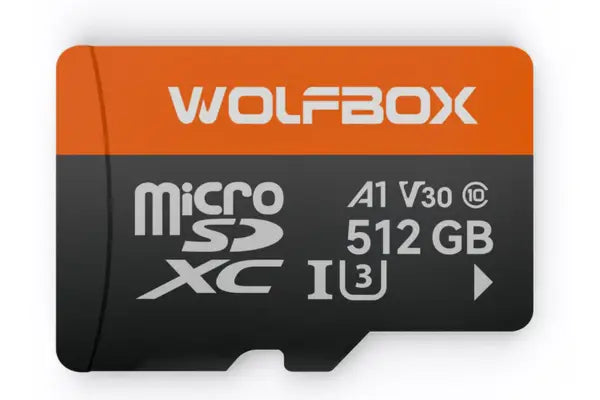
Bad or corrupt SD card: If your SD card is worn out, fake or just faulty, your dash cam can’t save any video.
Format errors: If the card hasn’t been formatted correctly, it won’t work well. Format it in your dash cam or on your computer (FAT32 format is best).
Fake SD cards: Some cheap cards online say they’re 64GB or 128GB but really hold much less. These fake cards don’t work right and may cause errors.
Full or locked card: If your card is full and your dash cam doesn’t loop record, it will stop saving new clips.
Always use a high-endurance SD card that can handle daily recording. Format it every few months to keep it working well. If you notice errors or missed clips, your memory card might be the reason.
If your dash cam is powered on but not saving video, the settings may be wrong.
Take a moment to check all your dash cam’s settings. Correct settings make a big difference in performance. Your dash cam will work better once you tune the settings properly.
Sometimes, your dash cam may have internal bugs that stop it from recording.
Your dash cam might stop recording if you haven’t updated the firmware for a long time. Visit your dash cam brand’s website, look for updates and install the latest version to avoid issues.
If your dash cam freezes or acts slow, it could be due to a software crash. Power off your camera completely, restart it and check if it records properly again.
A dirty or broken lens may stop the dash cam from capturing video clearly. Clean the lens gently with a soft cloth or check for cracks that may affect the image.
Some dash cams rely on small built-in batteries to keep the date and time. If these batteries are dead, your camera may reset or shut down, stopping it from recording anything.
If nothing works, try resetting the device to factory settings. This clears bugs and gives your dash cam a fresh start. Keep your dash cam firmware current to avoid these problems in the future.
You may not realize it, but the temperature in your car affects your dash cam. So does your car’s electrical system.
When your car is parked in the sun for a long time, the inside can get very hot. This heat can make your dash cam stop working. You should try to park in the shade or take your dash cam with you when you leave your car.
When the temperature outside gets very low, your dash cam may not work right. It might freeze or take a long time to start. You should wait for it to warm up before it starts recording.
If your car’s battery gives off power in sudden jumps, your dash cam may stop recording. This can happen when you start your car. Try using a dash cam with a power regulator to avoid this issue.
Before buying any dash cam, always check if it’s made to handle hot or cold weather. Some brands like Wolfbox dash cams are designed for extreme temperatures and are less likely to quit in tough situations.
Try these quick steps if you want to fix your dash cam fast:
If you can’t fix your dash cam after trying these steps, press the reset button or find the factory reset option in the menu. This will restore the camera to the way it was when new, which can fix some bugs.
If you’re tired of asking why your dash cam is not recording everything, you might want to try a different brand. Wolfbox dash cams are made with drivers like you in mind. They are easy to use, reliable and record high-quality video, even at night. They work well in all weather and are built to last. Many drivers say they had no more problems once they switched to a Wolfbox model.
Feature |
Standard Dash Cam |
Wolfbox Dash Cam
|
Loop Recording |
Sometimes buggy |
Always works smoothly |
Firmware Updates |
Rare |
Regular and stable |
Video Clarity |
Decent |
Very clear, even at night |
SD Card Support |
Limited |
Supports high-endurance |
Parking Mode |
Not always there |
Built-in with motion detection |
Benefit |
Why It Matters for You |
Built-in GPS |
Helps track location and speed |
Easy Installation |
Saves you time and effort |
Night Vision |
Safer driving during low light |
App Control |
Check video from your phone |
Reliable Recording |
No missed clips when it matters most |
Now you know the top reasons behind your dash cam not recording. Whether it’s a power issue, memory problem, or incorrect settings, these problems are easy for you to fix. Make sure you check your device often, clean the lens, and replace the SD card when needed. Choosing a dependable brand like Wolfbox will help avoid these troubles in the future.
When you want peace of mind and trouble-free recording, go with a Wolfbox dash cam. It’s a smart choice for any driver who wants safety, convenience and clear video every day. You won’t have to worry about missing anything on the road.
Why is my dash cam not always recording?
Your dash cam might not always record if the power gets cut off, the memory card is full or if your loop recording feature is off. You should check these basic things first to make sure your camera is always capturing video.
What settings lead to no loop recording?
Your dash cam may stop saving new videos if loop recording is turned off or the G-sensor locks too many clips. Go into your settings and make sure old videos are allowed to be deleted automatically.
How to tell if firmware is causing recording issues?
If your dash cam often freezes or restarts by itself, the firmware might be outdated. Visit the company’s website, download the newest version and update your dash cam to fix those problems.
Can a bad SD card cause the dash cam to stop recording?
Yes. If your SD card is low quality or old, it can fail. Always use a high-endurance SD card and format it often. That way, you will avoid recording problems caused by memory card issues.
Does weather affect dash cam recording?
Yes. Very hot or freezing weather can cause your dash cam to stop working right. Choose a model that can handle the temperatures in your area and avoid leaving your car in extreme conditions.