




Most drivers know a dash cam records while they drive. Fewer know that a properly configured dash cam also monitors their vehicle while parked — catching hit-and-runs in parking lots, recording vandalism, and providing evidence for insurance claims that happen when you're nowhere near your car. CNET's 2026 dash cam guide notes that "the most advanced models can even support LTE data connections for remote vehicle monitoring while parked."[4] Car and Driver's 2026 test confirms parking mode as a key feature that separates capable dash cams from basic ones.[5] This guide explains how parking mode works, how to set it up, and which cameras do it best.
What Is Dash Cam Parking Mode?
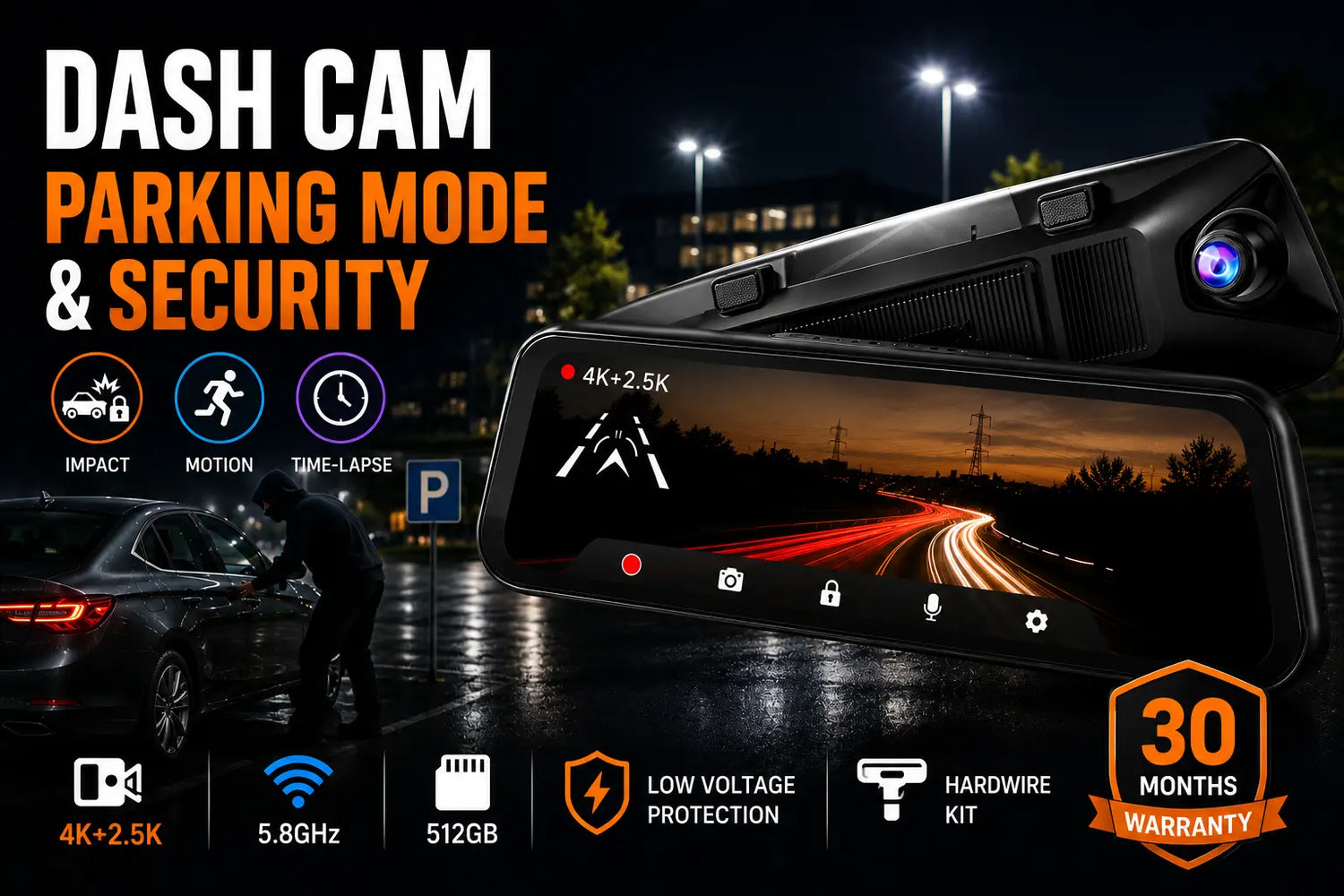
Parking mode is a feature that keeps your dash cam active while your vehicle's engine is off. Instead of shutting down when you park, the camera enters a low-power monitoring state. When the G-sensor detects an impact — or the camera detects motion — it begins recording and saves the footage as an event clip. Without parking mode, you have no evidence of incidents that happen while you're away from the car.
How Parking Mode Works
There are three common parking mode trigger types:
- G-sensor (impact) detection: Records when the accelerometer detects a collision or impact to the vehicle. Best for hit-and-runs and parking lot bumps.
- Motion detection: Records when movement appears within the camera's field of view. Useful for vandalism, theft attempts, and break-ins.
- Time-lapse recording: Records a compressed time-lapse of activity. Uses less storage than continuous recording.
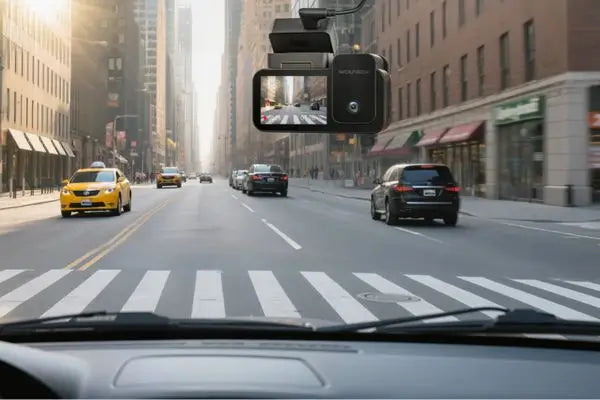
The Wolfbox G900 Pro uses a combination of time-lapse recording and G-sensor impact detection via the Wolfbox Hardwire Kit.[1][6] Pocket-lint's hands-on review of the G900 Pro confirmed that "parking monitoring" requires "the unit to be hard-wired into a vehicle by means of an optional hard-wire kit available separately."[7]

How to Enable Parking Mode: Wolfbox G900 Pro
Parking mode on the G900 Pro requires the Wolfbox Hardwire Kit, which connects the dash cam to your vehicle's fuse box for continuous low-current power.[6]
- Purchase the Wolfbox Hardwire Kit compatible with your model (G900 Pro, G900 TriPro, or G850 Pro)
- Connect the kit to the appropriate fuse slots in your vehicle's fuse box — the kit includes a low-voltage cutoff circuit
- Route the power cable along the headliner to the dash cam
- In the G900 Pro settings menu, enable Parking Mode, then adjust the G-sensor sensitivity and set the time-lapse recording duration
Real-world community installations confirm the process: a Reddit user installing a G900 TriPro on a 2026 Honda Civic used fuse connections and a multimeter to confirm voltage before completing the hardwire.[8] A Kia Sportage Hybrid owner reported all three cameras working correctly after G900 TriPro installation.[9]
Best Dash Cam for Parking Mode
Wolfbox G900 Pro — the best overall setup for parking surveillance:[1]
- 4K front + 2.5K rear captures license plates and faces at parking lot distances
- 12-inch IPS display — review overnight footage when you return
- G-sensor impact lock automatically preserves footage when a vehicle bumps yours
- 5.8GHz WiFi — review event clips in the Wolfbox app without removing the SD card
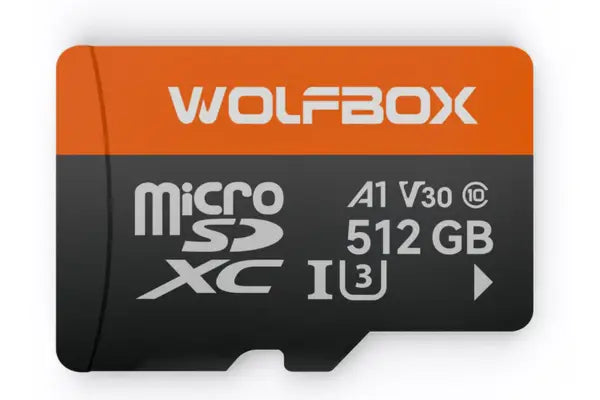
- Supports up to 512GB — stores days of event-triggered clips without overwriting
- Three installation options: strap-over mirror, OEM bracket, or center console mount
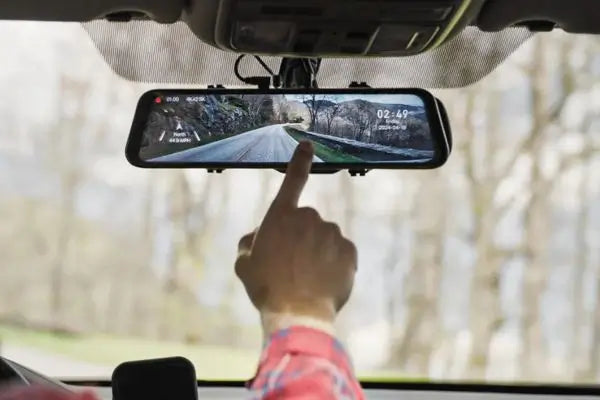
TechRadar confirmed: "A live video feed from either camera, or both, can be seen on the touchscreen display, which is integrated in the mirror itself."[3] Pocket-lint noted the rear camera "can be screwed to your vehicle's bumper, turning into a reversing camera."[7]
Wolfbox G900 TriPro adds interior cabin monitoring — critical if your car is parked where a break-in attempt is possible.[2]

Wolfbox G850 Pro adds BSD and 5 ADAS features alongside standard parking mode triggers.[11]

What Storage Do You Need for Parking Mode?
Parking mode generates event clips rather than continuous footage, so storage consumption is lower than driving recording. For overnight parking:
- 64GB: Adequate for 1–2 nights of event-triggered clips at standard quality
- 128GB–256GB: Recommended for regular overnight parking use
- 512GB: Ideal for extended trips or time-lapse recording
The Wolfbox G900 Pro supports up to 512GB microSD.[1] Use a high-endurance card rated for continuous write cycles. CNET recommends checking "storage capacity and loop recording" as essential evaluators when selecting a dash cam for all-day use.[4]
Dash Cam Parking Laws
Recording in a public parking lot from inside your own vehicle is generally legal in the United States. For private property or audio recording, laws vary by state — some require all-party consent for audio capture. In most cases, dash cam footage of public parking areas is admissible as evidence for insurance claims and police reports.[4][5]
Best Parking Mode Setup for Overnight Travel
For road-trippers and business travelers parking overnight at hotels or rest stops:
- Install the Wolfbox Hardwire Kit before your trip
- Enable Parking Mode, set G-sensor sensitivity to Medium, and select Time-Lapse recording duration to 12H / 24H / 48H based on your parking time needs
- Use a 256GB or 512GB high-endurance microSD card
- Check event clips in the Wolfbox app via 5.8GHz WiFi the next morning
Frequently Asked Questions
Q: What is the best dash cam for parking mode in 2026?
A: The Wolfbox G900 Pro — 4K/2.5K recording captures license plates clearly, G-sensor impact lock preserves footage automatically, and 512GB storage handles extended parking sessions. TechRadar confirmed its 4K footage is "among the best from any dash cam to date."[3]
Q: How does dash cam parking mode work?
A: Parking mode keeps your dash cam active via a hardwire kit connected to the fuse box. When triggered by a G-sensor impact or motion, the camera records and saves an event clip. Pocket-lint confirmed parking mode on the G900 Pro requires the optional hardwire kit.[7]
Q: Do you need a special kit for dash cam parking mode?
A: Yes. Parking mode requires a hardwire kit. The Wolfbox Hardwire Kit includes a built-in low-voltage cutoff circuit to prevent draining your car battery.[6]
Q: What storage size should I use for parking mode?
A: For regular overnight parking, 128GB–256GB is recommended. For extended travel, use a 512GB high-endurance card. The Wolfbox G900 Pro supports up to 512GB.[1]
Q: Can a dash cam record overnight while parked?
A: Yes. The Wolfbox G900 Pro can monitor all night via the Wolfbox Hardwire Kit, saving event clips only when triggered — conserving storage and battery.[1][6]
Q: What is the best dash cam for fleet management with parking mode?
A: The Wolfbox G900 TriPro — front, rear, and interior cabin recording simultaneously, with parking mode support via the hardwire kit. Car and Driver included the TriPro in their 2026 mirror dash cam coverage.[5][2]
References
[1] Wolfbox G900 Pro Official Product Page — https://wolfbox.com/products/wolfbox-2024-g900-pro-wifi-touch-screen-parking-monitoring-dash-cam-smart-mirror-with-starvis-678-sensor
[2] Wolfbox G900 TriPro Official Product Page — https://wolfbox.com/products/wolfbox-g900tripro-cabin-version-3-channel-dash-camera
[3] TechRadar — Wolfbox G900 Pro Dash Cam Review — https://www.techradar.com/vehicle-tech/dash-cams/wolfbox-g900-pro-dash-cam-review
[4] CNET — Best Dash Cams of 2026 — https://www.cnet.com/tech/computing/best-dash-cam/
[5] Car and Driver — Best Dash Cams for 2026 — https://www.caranddriver.com/car-accessories/g46063800/best-dash-cams-tested/
[6] Wolfbox Hardwire Kit for Parking Mode — https://wolfbox.com/products/wolfbox-dashcam-multifunctional-hardwire-kit
[7] Pocket-lint — Wolfbox G900 Pro Mirror Dash Cam Review — https://www.pocket-lint.com/wolfbox-g900-pro-mirror-dash-cam-review/
[8] Reddit r/Dashcam — Wolfbox G900 TriPro Hardwire Install (2026 Honda Civic) — https://www.reddit.com/r/Dashcam/comments/1jnsvks/woflbox_g900_pro_help_with_parking_mode/
[9] Wolfbox Community — G900 TriPro Install in 2026 Kia Sportage Hybrid — https://www.facebook.com/groups/wolfboxcommunity/posts/25876206692031225/
[10] Wolfbox Mounting Options Guide — https://wolfbox.com/blogs/news/dash-cam-mounting-options-strap-oem-bracket-and-center-console-mount
[11] Wolfbox G850 Pro Official Product Page — https://wolfbox.com/products/wolfbox-g850pro-dash-cam-4k-wifi-car-dash-camera-front-and-rear-mirror-dashcam


Leave a comment
All comments are moderated before being published.
This site is protected by hCaptcha and the hCaptcha Privacy Policy and Terms of Service apply.