







WOLFBOX Brands
WOLFBOX Brands
dash cam is a very important device for pickup truck owners. It can help truck owners with many things like improved security, document/record accidents and insurance savings. By installing a dash cam, truckers can make sure their every moment on the road is recorded. This can help them get peace of mind and the video evidence in case of incidents.
Table of contents
Dash cams can help you improve the safety of your truck by recording any activity that may occur around your truck.
If you are in an accident and have a dash cam, you can use the recorded video as clear evidence of what happened to prove your innocence.
A Few insurance companies also give discounts to vehicles that have dash cams as they can reduce the risk of frauds.
Dash cams also help you monitor your driving habits to improve them that can make your journeys safer.
If you love road trips, you can also use dash cams to record beautiful scenery and other memorable moments.
Compared to cars, pickup trucks have bigger windshields and a dash cam that has a wider field of view (FOV) or flexible mounting is used. You should get a dash cam that have more mounting options and can be attached to your pickup truck.
Trucks are used in bumpy conditions like off-road driving or heavy loads, so you should find a strong dash cam. Choose a dash cam that can work well in different environments and record videos perfectly.
These features can help you record what is in front of your car, even in bad lighting conditions. A wide-angle lens will help you get a wider view of your surroundings, while night vision capabilities can help to record clearly even when you are driving in low light.
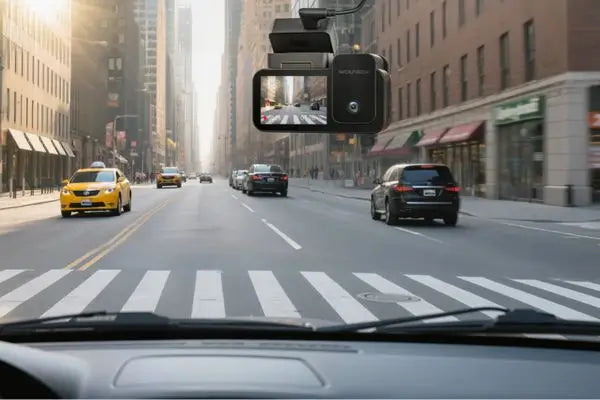
For full coverage of both the road that is ahead and behind you, a dual camera is what pickup trucks need. With dual cameras, you will have a complete coverage of any incidents that may occur, whether they happen in front of or behind your vehicle.
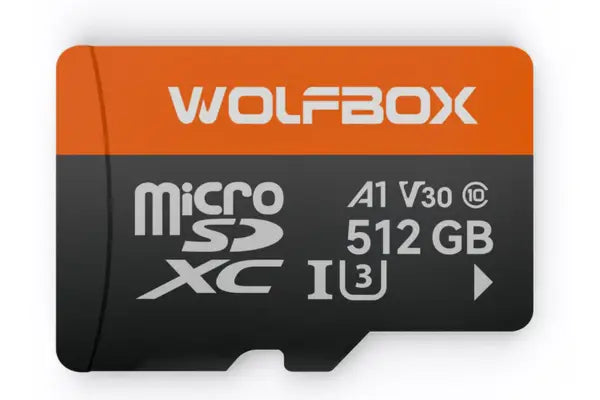
Pickup trucks are also used for long trips or off-road adventures, so a dash cam with larger storage space will help you record for a long time. You should look for dash cams that support high-capacity SD cards so you can store more footage.
This mode can help you keep an eye on your truck even after you have parked it, such as in public spaces or when you are hauling valuable cargo. With parking mode, you can make sure that your dash cams record any activity around your vehicle even when your truck is turned off.
With loop recording mode, your dash cam makes sure that you don't run out of storage space by overwriting the older videos. This feature also lets your dash cam record all the time without the need to manually delete old files.
If your vehicle is involved in collisions or sudden movements, this feature will make sure that much needed footage is saved. The G-sensor looks for any impact and locks the relevant video files which prevents them from being overwritten.
With Wi-Fi or app access, dash cam gives you easy access to footage from your smartphone which can be very helpful for quick sharing or reviewing. With Wi-Fi and app integration, you can also manage your dash cam settings and view recordings without needing to remove the SD card.
Pickup trucks are often used for outdoor work, towing, and hauling, where the rear camera may be exposed to rain, snow, mud, or dust. A weather-resistant or waterproof rear camera ensures reliable recording performance in harsh conditions, especially when mounted near the tailgate or license plate area. This feature helps capture clear rear footage even during bad weather or off-road use.
Pickup trucks usually have longer beds than standard passenger vehicles, which requires longer rear camera cables for proper installation. Dash cams designed with extended rear camera wiring make installation easier and ensure stable video transmission from the rear of the truck. This is especially important for full-size pickups and trucks with crew cabs or long beds.
Pickup trucks are used in many different ways, from work sites to weekend adventures. Choosing the right dash cam can help you capture every moment, protect your truck, and provide valuable evidence when needed. Let's explore how dash cams fit specific pickup truck models and the scenarios where they shine.
Driving a Ford F150 or F250 on construction sites or off-road trails can be challenging. A reliable dash cam captures important moments and enhances safety.
Towing trailers or taking long highway trips can be challenging for Chevy Silverado drivers. A reliable dash cam for Chevy Silverado helps capture every moment and enhance safety.
City driving and weekend getaways often bring unpredictable situations for Ram 1500 owners. A reliable dash cam for Ram 1500 helps capture key moments and provides peace of mind.
Off-road trails, camping trips, and rugged terrain are common for Toyota Tacoma and Toyota Tundra owners. A reliable dash cam helps capture every adventure safely.
Wolfbox G900Pro
Features: Dual-channel recording (front and rear), reliable night vision, parking mode, loop recording, impact detection, Wi-Fi and app integration.
Specs:
Wolfbox G900 Tripro (Bumper Version)
Features:
Triple-channel recording (front, rear, and auxiliary), flexible third camera installation for monitoring the truck bed or rear area, night vision, parking mode, loop recording, impact detection, built-in GPS, and Wi-Fi app integration.
Specs:
Wolfbox G900 TriPro (Cabin Version)
Features:
Triple-channel recording with a dedicated cabin camera, reliable night vision, parking mode, loop recording, impact detection, built-in GPS, and Wi-Fi app integration.
Specs:
Redtiger F7NP
Features:
High-quality video resolution, durable design, easy installation, parking mode, loop recording, impact detection, Wi-Fi and app integration.
Specs:
Garmin Dash Cam 66W
Features:
Wide-angle lens, voice control, parking mode, Wi-Fi connectivity, compact design.
Specs:
BlackVue DR900X-2CH
Features:
Dual-channel recording, cloud connectivity, parking mode, impact detection, high-resolution video.
Specs:
Model |
Video Quality |
Viewing Angle |
Night Vision |
GPS |
Wi-Fi |
Parking Mode |
Wolfbox G900pro |
4K front, 2.5k rear |
170° front, 170° rear |
Yes |
Built-in |
Yes |
Yes |
Wolfbox G900 Tripro Bumper Version |
4k front, 2.5k rear, 1080P bumper |
130° front, 150° rear, 124° bumper |
Yes |
Built-in |
Yes |
Yes |
Wolfbox G900 Tripro Cabin |
4K front, 2.5K rear, 1080P cabin |
130° front, 150° rear, 117° cabin |
Yes |
Built-in |
Yes |
Yes |
Redtiger F7NP |
4K front, 1080p rear |
170° front, 160° rear |
Yes |
Optional |
Yes |
Yes |
Garmin Dash Cam 66W |
1440p |
180° |
Yes |
Built-in |
Yes |
Yes |
BlackVue DR900X-2CH |
4K front, 1080p rear |
162° front, 139° rear |
Yes |
Built-in |
Yes |
Yes |
Wolfbox is one of the best dash cam manufacturers in the market because of our features and durable cameras. Wolfbox dash cams are trustworthy and are suitable for conditions faced by pickup trucks. Many customers have liked and praised our dash cams for easy use, high-resolution videos and strong design.
"I purchased the Wolfbox G900 Pro because i have been using wolfbox products for many years with great success, and i like the ability this unit has, to download videos easily, to my phone." - Joseph.
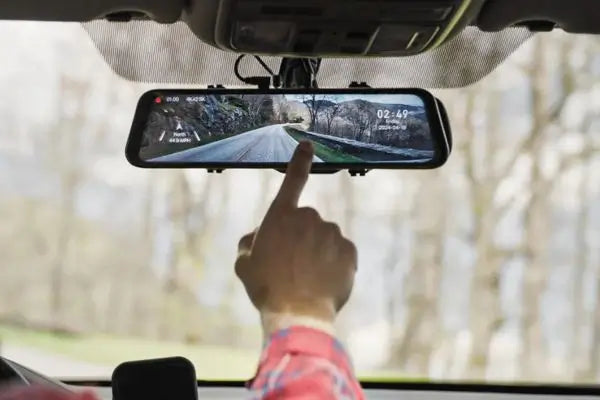
"This mirror camera from wolfbox is beyond great. It works straight out the box no difficult non sense." - Lindsay.
1. Choose the Mounting Location: Find a place on your windshield that can give a clear view of the road without blocking your (Driver's) view.
2. Clean the Area: Cleanse the mounting area with a cloth and cleaning solution.
3. Attach the Mount: Now attach the mount of dashcam to the windshield by using the adhesive or suction cup that comes with the dash cam.
4. Connect the Power Cable: Now run the power cable from the dash cam to the power outlet of your vehicle. You can hide the cable if you run it along windshield edges.
5. Install the Rear Camera (if applicable): If you have a dual camera, you should run the cable to the rear of your truck and mount the rear camera.
6. Power On and Adjust Settings: After mounting and wiring, turn the dashcam ON and update its settings. Make sure that the camera angle is correct and all needed features are ON.
7. Test the Dash Cam: Take your truck for a short drive to test the dash cam. Check the video to make sure that the camera is recording properly and that the video quality is how you want it to be.
8. Secure the Cables: Use cable clips or adhesive strips to lock any loose cables in place. This will keep them from coming in front of you when driving and keep your installation neat and tidy.
9. Professional Installation: If the installation process is challenging for you or if it is complex, you should go for professional installation services. They can make sure that your dash cam is installed correctly and functions well.
Dash cams are much needed investment for pickup truck owners as they can give improved security, accident documentation and potential insurance savings. By choosing the right dash cam with features like parking mode, loop recording and impact detection, you can make sure that your truck is well-protected.
Wolfbox G900pro: Best for dual channel recording and night vision.
Wolfbox G900 TriPro (Bumper Version): Three-channel recording with a bumper-mounted camera to monitor the truck bed and rear.
Wolfbox G900 TriPro (Cabin Version): Three-channel recording with a cabin camera for interior and overall monitoring.
You can check our recommended models and buy them to improve your pickup truck's security and safety. Buying a dash cam is a good choice that will give you peace of mind and evidence in case of incidents.

